
Browse ChatGPT themes and build a workspace that feels like yours
Explore dark, light, gradient, photo, and accessibility-oriented built-in themes, then use 300 custom examples as inspiration for your own wallpapers, colors, fonts, and chat surfaces.

You can customize the ChatGPT interface in minutes, without coding.
If you want ChatGPT to feel more comfortable to use, you can change the look and layout with StylerGPT, a browser extension built for ChatGPT UI customization. It lets you apply clean ChatGPT themes and stack small "style blocks" to tweak the parts you actually notice every day.
What you can change
- Colors & contrast (readability)
- Fonts, size, and spacing (less eye strain)
- Layout and sidebar (fit your workflow)
The flow is simple: Install, open chatgpt.com, customize. Done.
Find your look



Browse every ChatGPT theme by style, mode, subject, and color
Explore StylerGPT's built-in general and accessibility themes alongside custom examples made with personal wallpapers, colors, and fonts. Filter the complete gallery to find a direction for your own ChatGPT workspace.
Custom examples
Start with six custom ChatGPT theme examples
Custom themes show what you can create with StylerGPT using your own wallpapers, colors, and fonts. These examples are not included in the extension’s built-in theme collection.
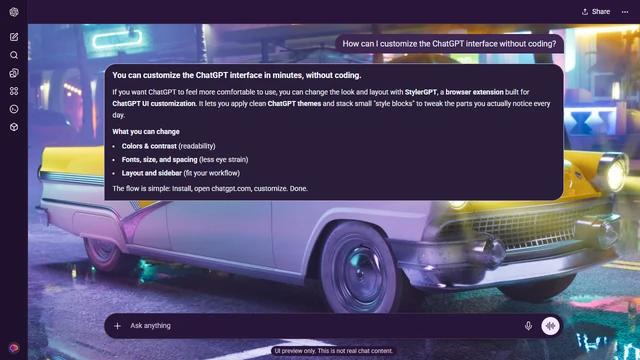 Custom example
Dark mode - custom theme
Grand Theft Auto Dark
A classic car spans a wet, neon-lit city street.
Open custom preview
 Custom example
Dark mode - custom theme
Stranger Things Dark
Blue portraits across Hawkins.
Open custom preview
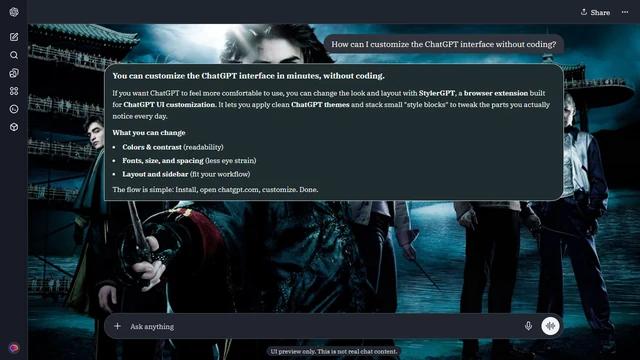 Custom example
Dark mode - custom theme
Harry Potter Dark
The cast beside the stormy lake.
Open custom preview
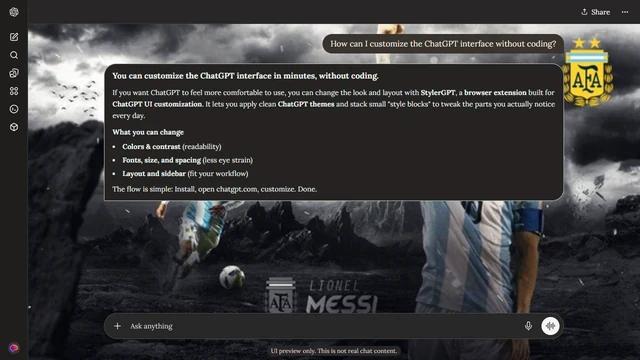 Custom example
Dark mode - custom theme
Lionel Messi Dark
Messi across a stormy Argentina collage.
Open custom preview
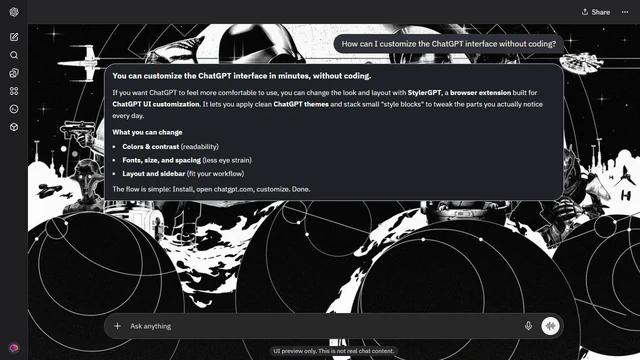 Custom example
Dark mode - custom theme
Star Wars Dark
A monochrome galaxy around charcoal chat.
Open custom preview
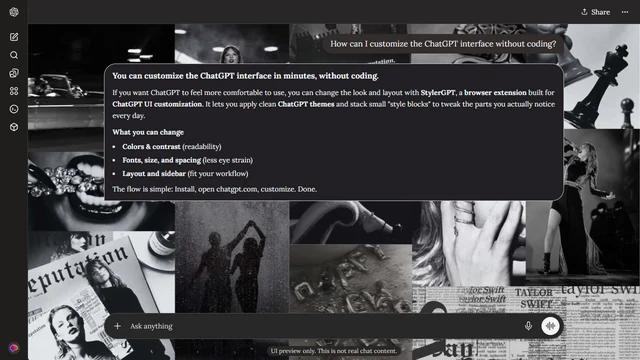 Custom example
Dark mode - custom theme
Taylor Swift Dark
Performance photos and monochrome motifs fill both margins.
Open custom preview
Narrow Fast
Filter by type, mode, subject, and color
Showing 15 custom themes for dark mode in Sport.
Found a look you like?
Try it in your own ChatGPT workspace before you commit. Installation is free, the paid features are unlocked for 7 days, and you do not need an account to see whether the theme improves your day-to-day setup.
Showing 1–15 of 15 themes · Page 1 of 1
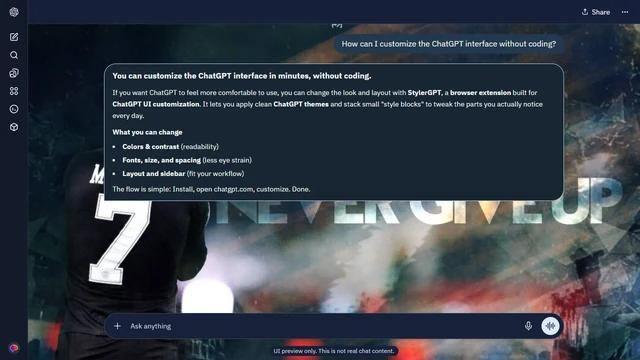 Custom example
Dark mode - custom theme
Kylian Mbappé Dark
Mbappé beside a never-give-up banner.
Open custom preview
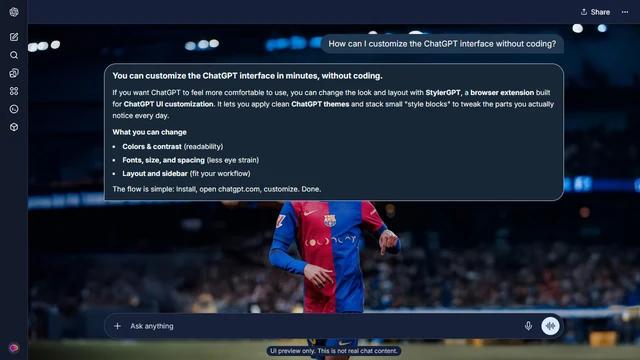 Custom example
Dark mode - custom theme
Lamine Yamal Dark
Lamine Yamal beneath stadium lights.
Open custom preview
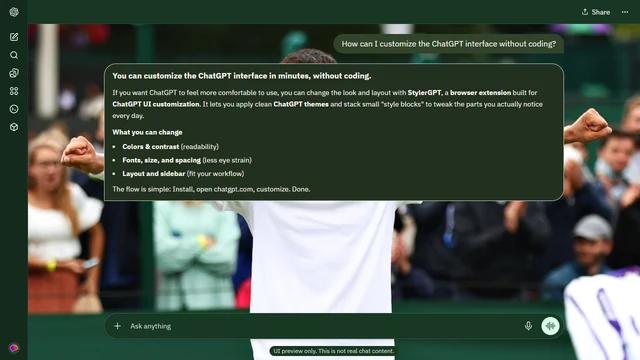 Custom example
Dark mode - custom theme
Carlos Alcaraz Dark
A grass-court embrace.
Open custom preview
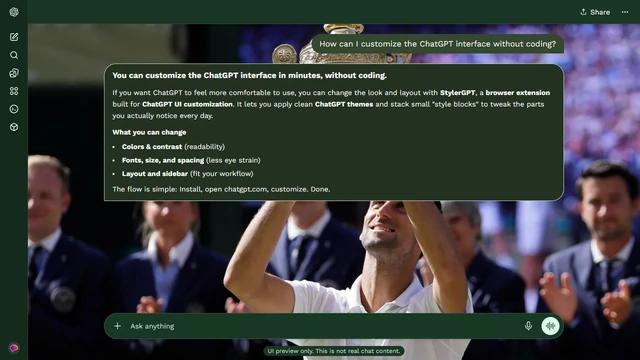 Custom example
Dark mode - custom theme
Novak Djokovic Dark
The Wimbledon trophy lift.
Open custom preview
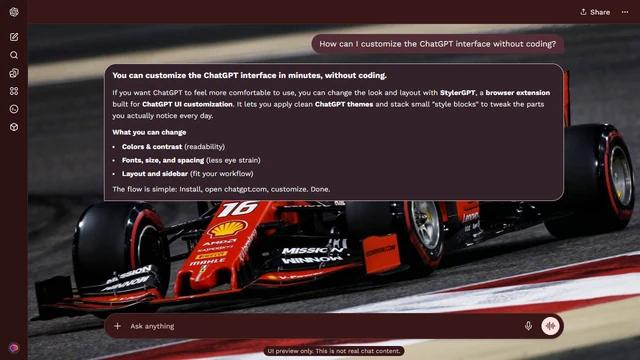 Custom example
Dark mode - custom theme
Charles Leclerc Dark
The Ferrari through the corner.
Open custom preview
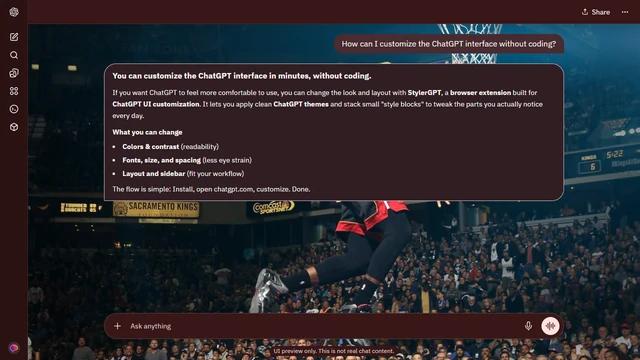 Custom example
Dark mode - custom theme
LeBron James Dark
The Miami-era dunk.
Open custom preview
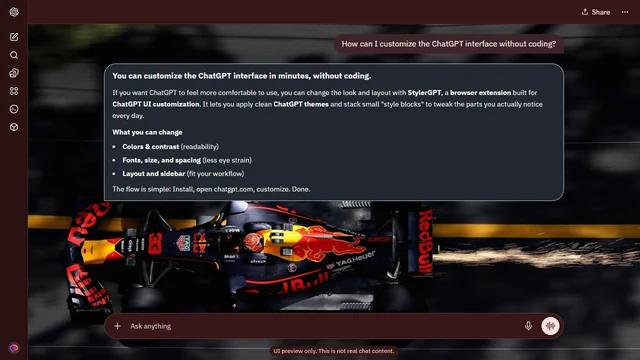 Custom example
Dark mode - custom theme
Max Verstappen Dark
Verstappen’s Red Bull throwing sparks.
Open custom preview
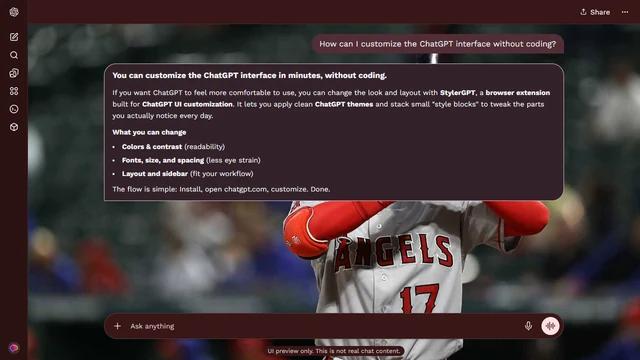 Custom example
Dark mode - custom theme
Shohei Ohtani Dark
Ohtani waits for the pitch.
Open custom preview
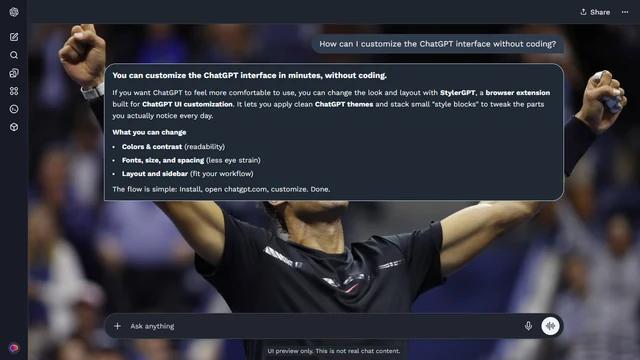 Custom example
Dark mode - custom theme
Rafael Nadal Dark
Two fists raised to the crowd.
Open custom preview
Custom exampleDark mode - custom theme
Lionel Messi Dark
Messi across a stormy Argentina collage.
Open custom preview
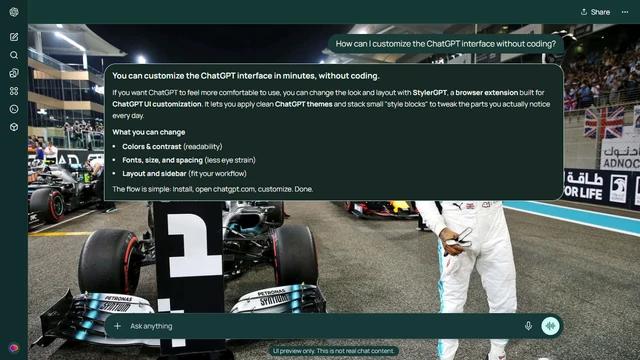 Custom example
Dark mode - custom theme
Lewis Hamilton Dark
Hamilton celebrating across the night grid.
Open custom preview
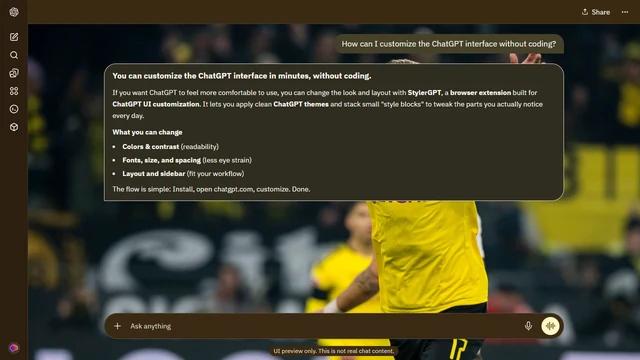 Custom example
Dark mode - custom theme
Erling Haaland Dark
The Dortmund celebration.
Open custom preview
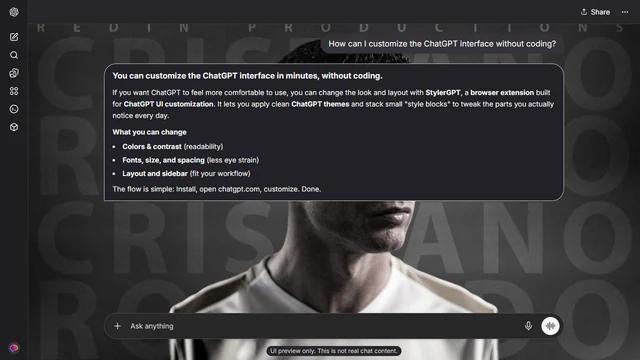 Custom example
Dark mode - custom theme
Cristiano Ronaldo Dark
Ronaldo across repeated name lettering.
Open custom preview
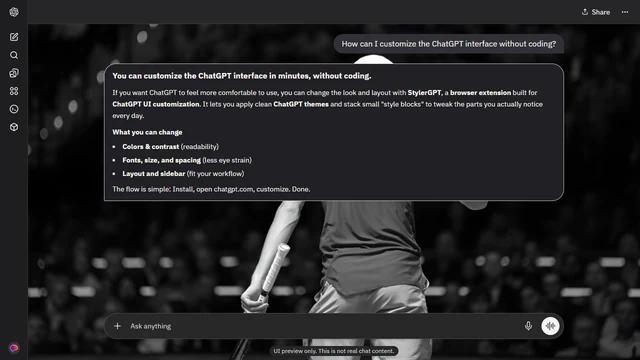 Custom example
Dark mode - custom theme
Jannik Sinner Dark
A fist raised in monochrome.
Open custom preview
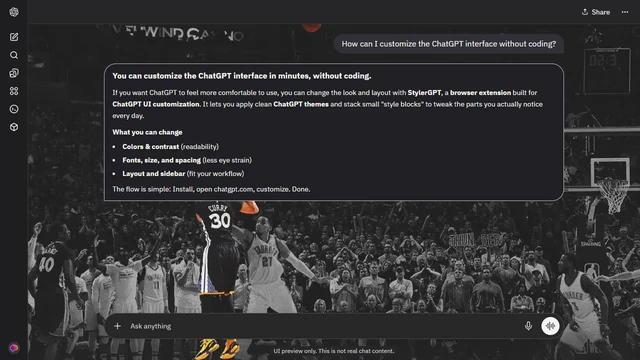 Custom example
Dark mode - custom theme
Stephen Curry Dark
The shot in monochrome.
Open custom preview
People come for ChatGPT themes and stay for comfort, readability, and focus
The best reviews are not just about decoration. They describe a ChatGPT interface that feels easier to read, more personal, and more comfortable during long work sessions.
"I've been trying to figure out how to change the theme of the ChatGPT interface. This extension makes my work a lot more fun."

Leo Liu
Read reviews"Does well what it promises. Changes the theme, color scheme, and fonts as needed. Recommend it."

Amit Saxena
Read reviews"It's honestly so simple and clean. Easy to use and makes GPT conversations more fun to use."

Arnt Evensen
Read reviews"I found this extension on my very last search, and it meets all my needs. Or rather, it's exactly what I needed."

Viktor Bartuszek
Read reviews"I've been using StylerGPT for a few months, and it's been a fantastic addition to my browser."

Jay
Read reviews"I'm on a Chromebook, and unfortunately the font changed to Arimo, so I got this app to restore the previous font."

Erick Lopez
Read reviews"I've been trying to figure out how to change the theme of the ChatGPT interface. This extension makes my work a lot more fun."
Leo Liu
Read reviews"Does well what it promises. Changes the theme, color scheme, and fonts as needed. Recommend it."
Amit Saxena
Read reviews"It's honestly so simple and clean. Easy to use and makes GPT conversations more fun to use."
Arnt Evensen
Read reviews"I found this extension on my very last search, and it meets all my needs. Or rather, it's exactly what I needed."
Viktor Bartuszek
Read reviews"I've been using StylerGPT for a few months, and it's been a fantastic addition to my browser."
Jay
Read reviews"I'm on a Chromebook, and unfortunately the font changed to Arimo, so I got this app to restore the previous font."
Erick Lopez
Read reviews"ChatGPT has a purpose and serves it well, but the interface was never to my liking. You made it just as I wanted."

Abhilash Pillai
Read reviews"As someone with ADHD, I'm astonished at how cumbersome, drab, and archaic some UI choices still feel. This makes the experience much easier to live with."

Zoe Thomas
Read reviews"A good change for the ChatGPT theme. It gives more feel to work, and personal images make it even more attractive."

Swanaya Gupta
Read reviews"Amazing and super useful extension. ChatGPT has never been so beautiful."

Lera Kuntsevich
Read reviews"The themes and image selection are beautiful, and it truly allows a personalized experience when using ChatGPT."

Kristopher Ryan
Read reviews"Excellent application. I would only add an option to change the background automatically every day."

Isaac Maffeis
Read reviews"ChatGPT has a purpose and serves it well, but the interface was never to my liking. You made it just as I wanted."
Abhilash Pillai
Read reviews"As someone with ADHD, I'm astonished at how cumbersome, drab, and archaic some UI choices still feel. This makes the experience much easier to live with."
Zoe Thomas
Read reviews"A good change for the ChatGPT theme. It gives more feel to work, and personal images make it even more attractive."
Swanaya Gupta
Read reviews"Amazing and super useful extension. ChatGPT has never been so beautiful."
Lera Kuntsevich
Read reviews"The themes and image selection are beautiful, and it truly allows a personalized experience when using ChatGPT."
Kristopher Ryan
Read reviews"Excellent application. I would only add an option to change the background automatically every day."
Isaac Maffeis
Read reviews"I've been trying to figure out how to change the theme of the ChatGPT interface. This extension makes my work a lot more fun."
Leo Liu
Read reviews"Does well what it promises. Changes the theme, color scheme, and fonts as needed. Recommend it."
Amit Saxena
Read reviews"It's honestly so simple and clean. Easy to use and makes GPT conversations more fun to use."
Arnt Evensen
Read reviews"I found this extension on my very last search, and it meets all my needs. Or rather, it's exactly what I needed."
Viktor Bartuszek
Read reviews"I've been using StylerGPT for a few months, and it's been a fantastic addition to my browser."
Jay
Read reviews"I'm on a Chromebook, and unfortunately the font changed to Arimo, so I got this app to restore the previous font."
Erick Lopez
Read reviews"ChatGPT has a purpose and serves it well, but the interface was never to my liking. You made it just as I wanted."
Abhilash Pillai
Read reviews"As someone with ADHD, I'm astonished at how cumbersome, drab, and archaic some UI choices still feel. This makes the experience much easier to live with."
Zoe Thomas
Read reviews"A good change for the ChatGPT theme. It gives more feel to work, and personal images make it even more attractive."
Swanaya Gupta
Read reviews"Amazing and super useful extension. ChatGPT has never been so beautiful."
Lera Kuntsevich
Read reviews"The themes and image selection are beautiful, and it truly allows a personalized experience when using ChatGPT."
Kristopher Ryan
Read reviews"Excellent application. I would only add an option to change the background automatically every day."
Isaac Maffeis
Read reviewsPick a ChatGPT theme, then test it in a real session
Install StylerGPT, apply your favorite theme inside ChatGPT, adjust the details live, and keep it only if the workspace feels better to use.
Try full Power access for 7 days. Keep five power-ups with included limits after your trial.