
1. Platform coverage: AI Toolbox wins breadth; StylerGPT focuses on ChatGPT
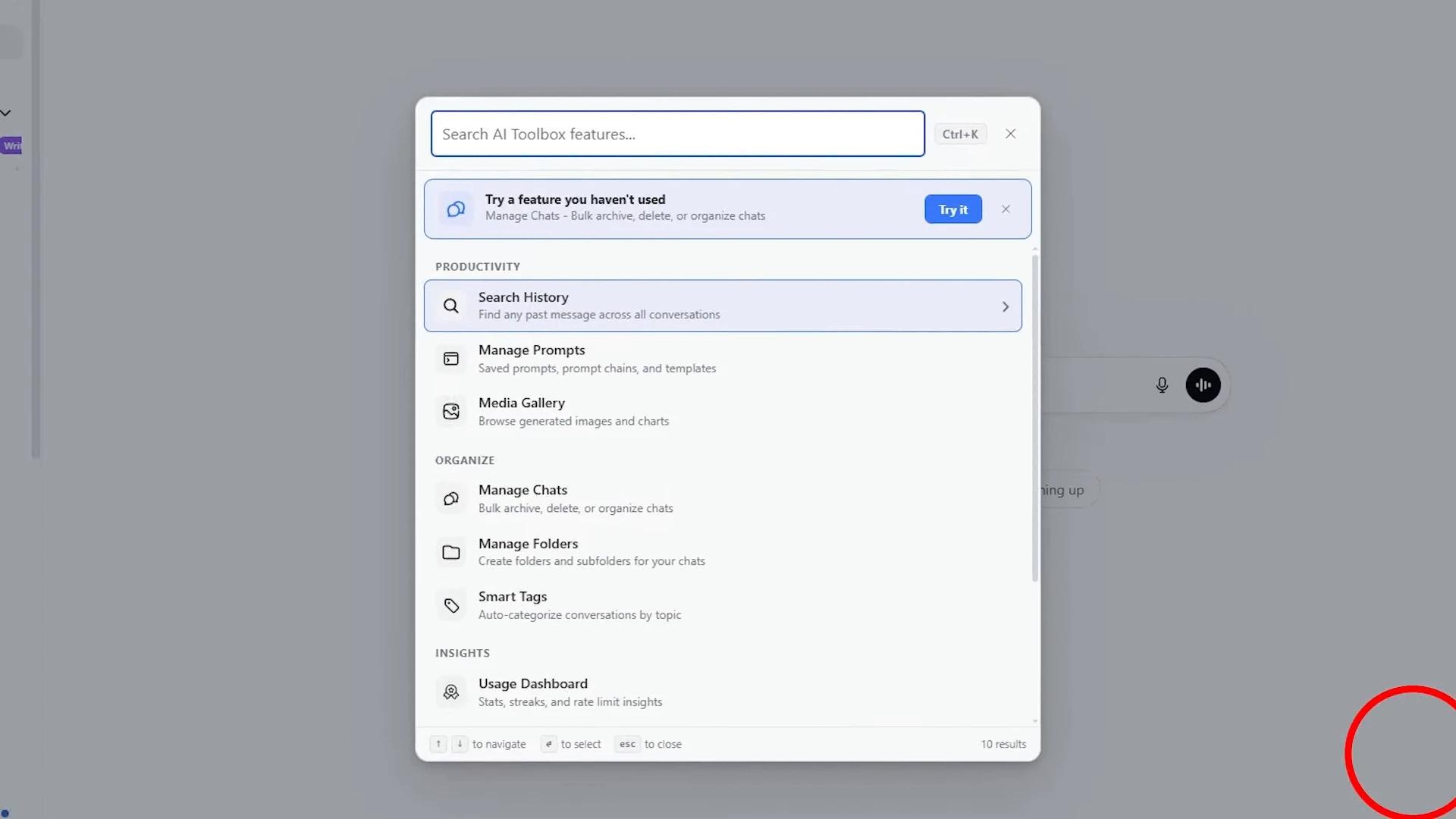
AI Toolbox, formerly ChatGPT Toolbox, supports ChatGPT, Claude, Gemini and Grok. This is not merely a marketing list: the supplied extension contains platform-specific modules and permissions, as well as a unified local search index. If a research project is spread across those services, finding material without remembering which platform produced it can be a major benefit.
StylerGPT concentrates on ChatGPT, with browser editions for Chrome, Edge and Firefox and a separate YouTube summarization workflow. It should not be presented as a four-platform replacement. Its value is the combination of detailed control over ChatGPT’s appearance and tools for preparing, organizing and exporting the work done there.
This comparison therefore favors StylerGPT for a defined audience: people whose main AI workspace is ChatGPT. A broader platform list does not automatically improve that person’s reading experience or document handoff. If you switch among several assistants throughout the day, however, give AI Toolbox’s cross-platform capability the weight it deserves.
Official sources: AI Toolbox platform coverage.
2. Customization: more than an accent-color checkbox
AI Toolbox has real appearance controls. Its ChatGPT module provides eight accent colors, four font-size choices and four chat-width presets. Two accent colors are available to Free users, with broader controls tied to paid access. It can make a cramped conversation wider or adjust the default reading size, so describing it as offering no customization would be wrong.
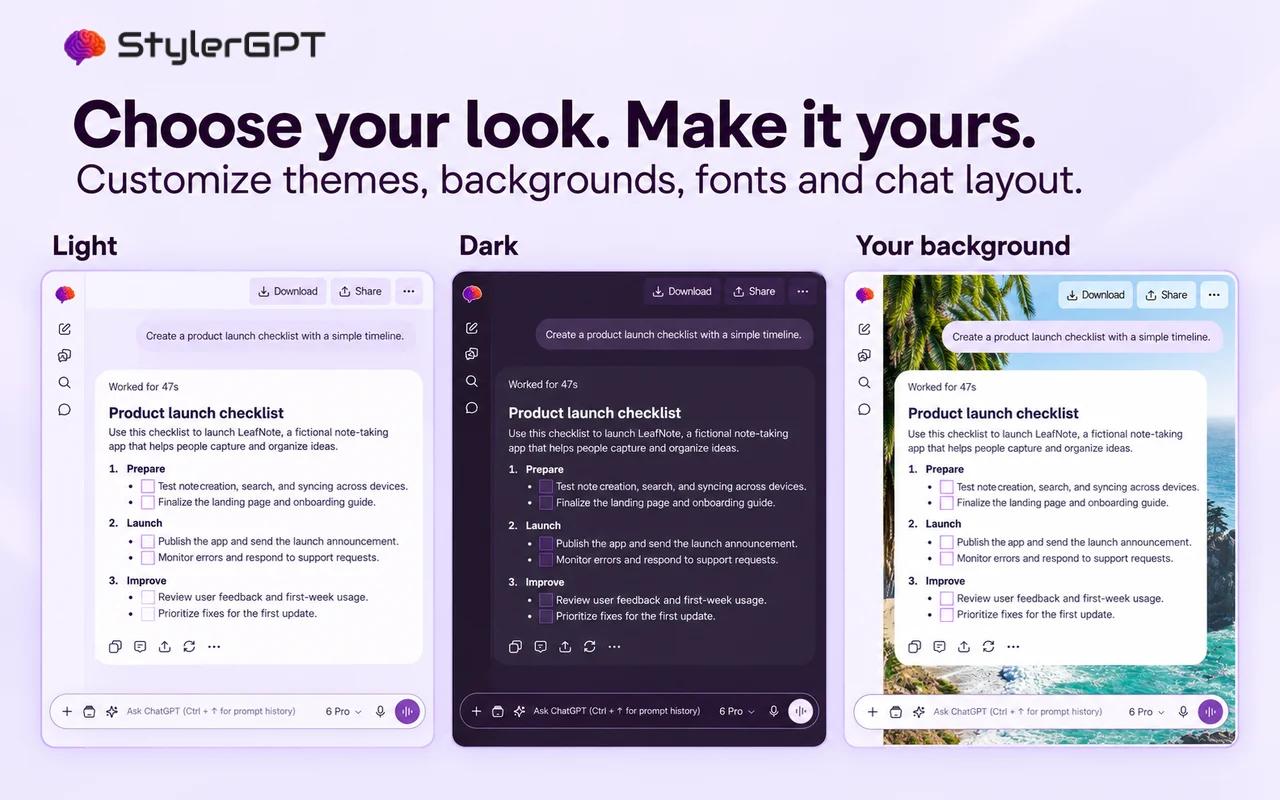
StylerGPT offers a more extensive visual system: palettes and custom colors, light/dark/system modes, font families and sizing, backgrounds, gradients, bubble styling and code-block themes. Pro unlocks advanced appearance controls; Power adds complete presets and Background Roulette. You can coordinate different parts of the interface rather than choosing only a size and accent.
For someone who uses ChatGPT for long writing or coding sessions, these differences are practical. Font choice changes how dense text feels, separate message styling helps distinguish roles, and dedicated code themes make technical answers easier to scan. We prefer StylerGPT when the goal is a personal workspace that remains useful and comfortable throughout the day.
3. Prompt refinement and chaining: different answers to different problems
AI Toolbox’s prompt system includes reusable templates, categories, variables and chains. It supports chains of up to ten items. Chaining is useful when you already have a process: ask for an outline, expand it, critique it and revise it. The tool helps run known steps without manually recreating each one.
StylerGPT’s Prompt Enhancer addresses an earlier problem: making the request clear enough before execution. It offers static templates and an Interactive mode that asks a short clarification batch, then incorporates your answers into an improved prompt. The workflow is designed to preserve intent, language, code, placeholders and constraints rather than silently changing the task.
For a new research question or an unfamiliar writing brief, deciding the audience, evidence requirements and output format can matter more than automating the next step. That is where we favor StylerGPT. AI Toolbox deserves credit for repeatable multi-step processes; its chaining should not be confused with an equivalent interactive briefing workflow. Both can be useful, but they solve different needs.
4. Prompt reuse and history: keep everyday instructions close
StylerGPT pairs Prompt Manager with Prompt History. Saved prompts cover instructions you deliberately keep, while recent history helps retrieve a variation you used moments ago. Combined with Prompt Enhancer, the workflow supports both repetition and adaptation: start from something useful, update the brief and make the final request more specific.
AI Toolbox offers sorting by newest, most-used and alphabetical order, category organization, recently used tracking and parsing of template variables. These are valuable library features. Its Free plan includes a small number of saved prompts and chains, while paid access expands those capabilities. Neither product should be judged from an unlimited-looking library screenshot without checking the plan behind it.
StylerGPT’s saved work does not synchronize between devices. AI Toolbox’s personal prompts and chains normally sync through its service, but a device-only setting switches personal-library operations to local storage. That option matters for private instructions; it does not also make shared/team prompts or folder synchronization local.
StylerGPT Free retains three saved prompts and the latest three history entries; Pro raises those capacities to five, and Power offers full access. The advantage we emphasize is the combination of reuse, recent history and guided refinement inside a customized ChatGPT workspace, rather than a claim that AI Toolbox lacks a capable prompt library.
5. Folders, tags and bulk actions: AI Toolbox offers deeper classification
AI Toolbox’s organizational strengths include nested folders, smart tags, bookmarks and message labels. Folders can be nested, and selected chats can be moved between them. Tags and bookmarks provide more ways to retrieve a conversation or passage than filing it into a single visible location. Its Free bulk action gate limits operations to five chats at a time.
StylerGPT’s Chat Folders organize the native sidebar with main folders and multiple levels of nested subfolders, and Power Bulk Actions let you move, archive or delete multiple conversations. Free includes three folders in total and Pro includes five, counting main folders and subfolders together. Power also adds Manage folders for browsing synchronized chats, title search, and moving or unassigning selections. With Power, Smart Search gives you another way to locate information when you no longer remember the folder or conversation title.
If a complex taxonomy across many projects is your deciding need, AI Toolbox’s tags and message labels are worth comparing with StylerGPT’s nested folders. For everyday ChatGPT work, StylerGPT supplies the central organization and cleanup tools while also investing in the reading experience and document output. Our overall recommendation reflects that wider combination, not an attempt to award it every organizational feature.
6. Search: both are more capable than title matching
StylerGPT Power searches synchronized titles and messages. Filters include message role, conversation update date, archive status, whole words and included or excluded terms. Matches are highlighted, and you can jump to the relevant message. You can export selected conversations or matching messages with their following message as JSON, Markdown or TXT, independently of the ordinary conversation-export allowance.
AI Toolbox also offers detailed full-text search, with role, date, exact-match and include/exclude controls. Its opt-in unified index extends retrieval across its supported AI platforms. That cross-platform reach is an objective advantage for mixed-assistant workflows, and it would be misleading to reduce AI Toolbox to basic title search.
In either workflow, search coverage depends on what has been synchronized. Search cannot guarantee recovery of every past or deleted conversation. For a ChatGPT-focused user, StylerGPT’s retrieval and selective result export fit naturally with the rest of its workspace. For someone who cannot remember whether a useful answer came from Claude, Gemini or ChatGPT, AI Toolbox addresses a broader problem.
7. PDF, DOCX and bulk export: choose editing or archiving
StylerGPT provides PDF, DOCX, Markdown, TXT and JSON export. DOCX is the standout difference for work that must remain editable: reports, briefs, study notes and client drafts can move into a word processor without relying on manual copying. Its PDF generator keeps ordinary text selectable and supports structured content such as tables, lists and code.
AI Toolbox’s export formats as of the review date are TXT, Markdown, JSON and PDF. Free export is TXT-only; paid access adds the other formats and multi-conversation ZIP export. ZIP is a useful container for an archive, rather than another editable document format. Direct DOCX export is not among those choices, so a Word-based handoff would require an additional conversion or copy-and-format step.
The PDF processing location is a major difference. AI Toolbox’s export workflow first sends the conversation title and messages, together with document metadata, to its own PDF endpoint. If that request does not return a PDF, it falls back to browser-side rendering. The local fallback does not prevent the initial upload. This applies to individual and bulk ChatGPT PDF exports; its TXT, Markdown and JSON serializers and ZIP assembly run locally.
AI Toolbox’s policy describes its server PDF processing as transient; that is a retention commitment, not an absence of transmission. Review the privacy policies alongside the export controls. StylerGPT’s PDF and DOCX options are particularly useful when the same conversation needs both a readable copy and an editable document.
For collecting many chats into an archive, AI Toolbox’s bulk ZIP workflow is useful. For turning a specific conversation into a professional deliverable, we favor StylerGPT’s direct DOCX and PDF choices. These needs can overlap, but they are not identical: keeping a backup and producing an editable report are different end goals.
StylerGPT also makes its document formats available within Free and Pro allowances, rather than limiting those tiers to plain text. Free provides three conversation exports per month across all formats; Pro provides five; Power removes that allowance limit. A repeat export or a different format consumes another use, so evaluate the limit against the actual volume of documents you create.
Official sources: AI Toolbox export access by plan.
8. Context tools and Prompt Guard: useful additions with clear boundaries
AI Toolbox’s context mentions let you reuse previous conversation material in a new request. The tool limits selected context to twenty messages and 30,000 characters, with summarization above a threshold. This can help carry information forward, but it should not be described as unlimited, always-verbatim memory of every past chat. Its media gallery, audio downloads and other platform-specific tools also matter to users with those particular workflows.
StylerGPT adds optional Prompt Guard for reviewing outgoing sensitive text. Its checks can detect patterns such as contact details, payment data and credentials, and pause a supported send for your decision. The guard does not scan attachments, images, OCR, voice or connector uploads. It is a practical extra step for copied work material, not a complete data-loss-prevention system.
AI Toolbox builds short context insertions locally, but its long-context summarization path sends selected messages and their title to its own summarization service. Its policy identifies OpenAI’s API as the downstream processor, including when source material comes from another supported assistant. Review those details before choosing a summarization workflow for sensitive material.
9. Privacy: compare the policies behind the features
StylerGPT takes a privacy-first approach to your ChatGPT workspace, with tools that work directly in your browser. It brings everyday work into a familiar interface with clear controls and a privacy policy that explains how data is handled.
Read StylerGPT’s privacy policy for the full data-handling details. Settings and saved work do not synchronize between devices, even when a plan supports several device activations.
AI Toolbox’s policy describes local conversation storage but explicitly lists processing exceptions: server-generated PDFs, context summaries, and cloud storage for organization and saved prompt data. It says PDF and summarization processing is transient. Those operations involve content uploads: PDF requests contain conversation messages and a title, and long-context summary requests send selected messages and their title to AI Toolbox. The downstream OpenAI processing and server non-retention statements come from its policy; backend retention has not been independently verified.
There are meaningful local controls to credit. AI Toolbox’s unified search index is stored in IndexedDB and queried on-device. Personal saved prompts and chains can use a device-only setting instead of their default server synchronization. TXT, Markdown and JSON exports are constructed locally. Folder operations and custom tag rules still use its service, so local search or the personal-library setting should not be read as a switch that keeps every feature’s data on-device.
StylerGPT’s privacy-first design is part of its focus on everyday work in the browser. AI Toolbox’s policy describes its own processing and retention choices; those documented differences do not establish misuse. Read both policies and choose the product whose features and privacy approach fit your needs.
Official sources: StylerGPT privacy policy · AI Toolbox privacy policy.
10. Use them together: StylerGPT Free or Pro plus AI Toolbox workflows
You can use StylerGPT as the appearance layer without replacing the workflow toolkit you already like, starting with Free. Its color palettes and basic appearance customization can sit alongside your preferred extension’s tools without a paid StylerGPT license. Pro adds advanced fonts, backgrounds, bubbles and layout controls. Turn off any overlapping StylerGPT Toolbox features and avoid competing appearance or width settings in both products. Complete theme presets and Background Roulette require Power; they are not needed simply to use StylerGPT alongside another extension.
For example, keep AI Toolbox’s cross-platform search, prompt chains or preferred organization tools, and use StylerGPT Free to personalize the palette. Pro adds custom typography, wallpapers and chat bubbles. Let StylerGPT control the appearance settings you use rather than simultaneously applying competing AI Toolbox presets. Disable duplicate folder or composer tools where they cover the same job. You can also choose StylerGPT’s PDF/DOCX export, including Free’s monthly allowance.
AI Toolbox itself documents coexistence with other extensions while warning that multiple sidebar modifications can overlap. StylerGPT’s detailed appearance controls form a useful complementary layer, so you do not have to abandon the tools you already prefer. Keep a single owner for overlapping controls and check the combined interface after either extension or ChatGPT updates.
Each extension keeps its own privacy rules when used alongside another. Review the policies of both products and choose one extension for overlapping controls so your ChatGPT workspace remains predictable.
Official sources: AI Toolbox coexistence FAQ.
11. Pricing: single-platform plans and all-platform access are different purchases
StylerGPT Free includes 3 saved notes, 3 chat folders in total (including subfolders), 3 saved prompts, 3 prompt enhancements per month, 3 conversation exports per month across all formats, and access to your latest 3 prompts, plus color palettes, Enter for new lines and timestamps. Pro includes 5 saved notes, 5 chat folders in total (including subfolders), 5 saved prompts, 5 prompt enhancements per month, 5 conversation exports per month across all formats, and access to your latest 5 prompts and adds advanced appearance controls. Power unlocks the complete Toolbox, theme presets and full access to the included tools. Smart Search, Image Gallery, Prompt Queue, Prompt Guard and Bulk Actions require Power or the active trial.
StylerGPT Pro is $4.99 monthly or $3.99 per month billed annually. Power is $9.99 monthly or $7.49 per month billed annually. A seven-day Power trial lets you evaluate the full workflow before choosing. These are extension plans; they do not include a ChatGPT subscription or remove OpenAI’s own usage limits.
At the review date, AI Toolbox lists $9.99 monthly, $59 yearly or $99 lifetime for a single-platform plan, plus a $199 All Access lifetime option. Its annual single-platform price is lower than StylerGPT Power’s annual subscription, and its lifetime options may appeal to people avoiding recurring payments. Do not mistake a single-platform purchase for access to every module.
For a ChatGPT user, compare the capabilities you will actually use. StylerGPT Pro is focused on customization with limited workflow tools; Power adds the full Toolbox and presets. AI Toolbox emphasizes organization, search and export across separately supported platforms. We recommend StylerGPT on the combined fit of appearance depth, interactive refinement and document output, not on a blanket claim to be the cheapest option.
Official sources: AI Toolbox pricing.
12. Our verdict: StylerGPT for a better everyday ChatGPT workspace
Choose AI Toolbox if cross-platform search, tags and repeatable prompt chains are central to your work. It offers genuine breadth, and a person who regularly uses all four supported assistants has a strong reason to investigate it. Those advantages do not disappear simply because this comparison is published by StylerGPT.
For readers who spend most of their time in ChatGPT, StylerGPT is our overall recommendation. Its detailed visual controls, Interactive Prompt Enhancer, organization and search, optional Prompt Guard and DOCX/PDF export create a privacy-first workspace for everyday tasks. If you need AI Toolbox’s cross-platform features, StylerGPT Free can add palettes and basic customization, with Pro available for advanced appearance controls. You can keep your preferred tools and gain a more personal workspace.
Frequently asked questions
How does StylerGPT approach privacy?
StylerGPT is designed as a privacy-first ChatGPT workspace, with tools that work directly in your browser. Its privacy policy explains how data is handled so you can review the details before choosing the tools you use.
Is AI Toolbox the same as ChatGPT Toolbox?
AI Toolbox is the current branding of the product formerly called ChatGPT Toolbox. It now advertises modules for ChatGPT, Claude, Gemini and Grok.
Does AI Toolbox support DOCX export?
The reviewed website and working export controls list TXT, Markdown, JSON and PDF. StylerGPT directly supports DOCX as well as those four formats.
Which should I choose if I mainly use ChatGPT?
We recommend StylerGPT when customization, interactive prompt refinement and editable document export are your priorities. Consider AI Toolbox if cross-platform search or its deeper classification and chaining features are essential.