

Ultimate Guide to Prompt Refinement for ChatGPT Users
Most bad ChatGPT outputs come from one missing piece: goal, context, format, or constraints. If I fix the weak part instead of rewriting the whole prompt, I usually get better results with less trial and error.
Here’s the article in one quick view:
- I start with 4 prompt parts: goal, context, output format, and constraints
- I refine by changing one thing at a time
- I match the fix to the problem:
- too generic → add a role
- too shallow → request a concise explanation and relevant checks
- wrong layout → show 1–3 examples
- too broad → add limits
- sounds sure but is wrong → ask it to flag uncertainty
- I test prompt versions on the same task
- I save the winning prompt with a clear name for later use
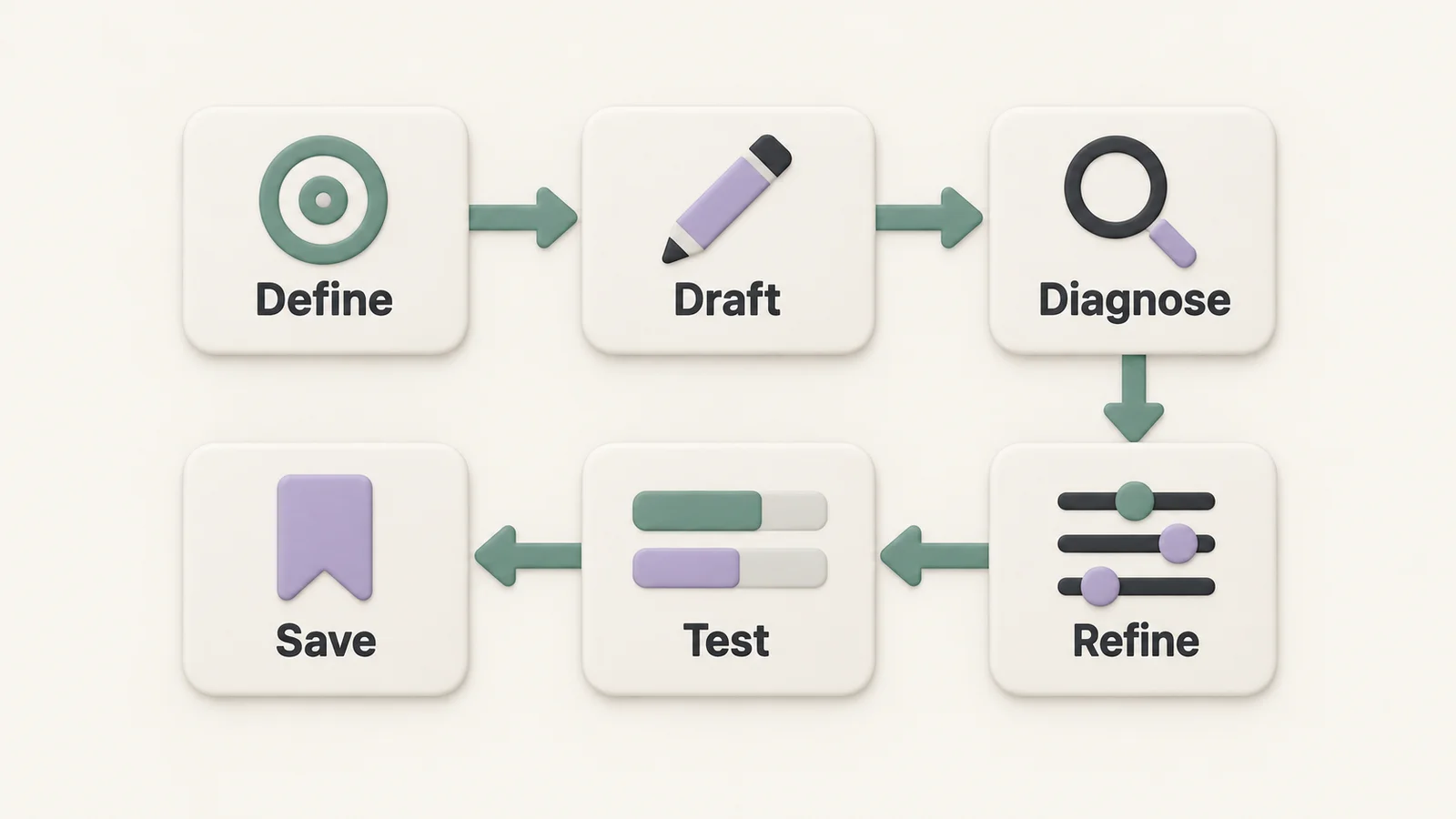
A simple workflow is: define, draft, diagnose, refine, test, save.
That matters because small prompt edits can change output quality fast. In the article, the prompt system is built around 4 core parts, a 5-part reusable template, and a testing method that keeps results easier to compare.
If I want more accurate, better-shaped answers, prompt refinement is usually the shortest path.
See prompting in action
Build stronger prompts from four core parts
Most weak prompts break down for the same reason: they leave out one of four basics. Usually, the missing piece is the goal, context, output format, or constraints.
Those four parts give you a simple, repeatable way to make prompts more exact. Before you refine any prompt, run through this short checklist.
| Prompt Component | Purpose | Expected Effect on Output |
|---|---|---|
| Goal | Defines the task and intended perspective | Aligns tone and expertise level with your needs |
| Context | Gives background and audience | Reduces irrelevant output and keeps answers relevant |
| Output Format | Specifies structure (table, list, code block, etc.) | Makes the response immediately usable |
| Constraints | Sets limits on length, tone, and rules | Prevents bloated replies and enforces style requirements |
Goal and context: tell ChatGPT what success looks like
Start with the task. Then add a role if it changes the point of view. You don't need a role every time. Use one when perspective matters, like this: "Summarize this report as a senior QA engineer."
Context fills in the background ChatGPT needs. That includes your audience and any source material. If you're writing for non-technical stakeholders, say so. If the source is a 20-page PDF, mention that too.
Once the task and audience are clear, you can tighten the response with format and constraints.
Output format and constraints: control shape, tone, and limits
Format controls how the reply looks. Constraints control the boundaries.
You can ask for:
- A 3-column table
- A numbered step-by-step plan
- A JSON block
- A plain paragraph
Then set the guardrails. That might mean a word count, U.S. English spelling, or a rule like "flag uncertainty."
An everyday prompt template
Instead of building every prompt from scratch, use a five-part template or save your favorites in a private workspace. It covers the four core parts by splitting goal into role and task. Think of it as your default prompt skeleton.
| Component | Writing | Research | Coding | Study |
|---|---|---|---|---|
| Role | "Act as a copywriter." | "Act as a technical researcher." | "Act as a senior Python developer." | "Act as a patient tutor." |
| Task | "Write a 200-word product description." | "Summarize the key findings." | "Refactor this function for readability." | "Explain this concept simply." |
| Context | "For a U.S. audience, casual tone." | "Audience: non-technical stakeholders." | "The codebase uses Python 3.11." | "I'm a high school junior." |
| Constraints | "U.S. English; no jargon." | "Max 300 words; flag uncertainty." | "No external libraries." | "Use analogies; avoid formulas." |
| Format | "Three short paragraphs." | "3-column table." | "Commented code block." | "Bullet points, then a summary." |
This split makes the instruction easier to follow and the output easier to predict. If the result is still off, diagnose the failure mode and adjust only that part. You can also use workflow tools to organize and export these refined prompts.
When a prompt still misses the mark, change the smallest part that caused the failure.
Refine a weak prompt
Use the four prompt parts as a simple checklist. Then fix the part that broke. If a prompt misses the mark, don't tear up the whole thing and start over. Fix the weak spot.
That matters more than it sounds. If you change everything at once, you won't know what actually helped. Change one variable at a time so you can spot the difference.
Fix the specific problem
Before changing anything, label the problem. A generic answer, a shallow answer, and a formatting mismatch are three different issues. They need three different fixes.
If the output is too generic, add a role. If the answer is shallow, request a concise explanation, stated assumptions, or checks you can verify. Reasoning models already reason internally; asking them to reveal every reasoning step is unnecessary. If the format is off, show 1–3 examples.
One failure mode needs extra care: answers that sound sure but are wrong. When accuracy matters, ask the model to flag uncertainty. That can help surface gaps, but it does not guarantee accuracy. Check factual claims against reliable sources.
If the first revision still misses, adjust only the next weakest part.
Use follow-up turns to narrow, expand, or correct the result
Treat each reply like a draft. Then tighten it one step at a time.
Use the conversation to refine the result in small moves. If the first reply is too long, narrow it. If it's too shallow, ask for more detail. If the angle is off, have it rewritten for a different audience. For harder tasks, use step-by-step follow-ups.
This approach is a bit like tuning a radio. You don't throw out the radio because the signal is fuzzy. You turn one dial, listen, then adjust again.
Comparison table: prompt changes, when to use them, and expected effect
Once a revised prompt works, compare it with the original on the same task.
| Problem | Prompt Change | When to Use It | Expected Effect |
|---|---|---|---|
| Too generic | Add role prompting ("like a [role]") | Output lacks professional depth or specific expertise | Adds expert tone and sharper focus |
| Shallow explanation | Request a concise explanation, assumptions, and checks | An answer needs more detail you can assess | Makes the result easier to review without guaranteeing accuracy |
| Wrong format | Provide 1–3 examples of desired output | Model fails to match a specific layout or structure | Matches your required format |
| Too broad | Add constraints or word limits | Response is too long or covers irrelevant areas | Tightens focus and improves conciseness |
| Confident but wrong answers | Ask it to flag uncertainty and provide sources you can verify | Tasks where factual accuracy matters | Helps identify gaps; claims still need checking |
Use the version that performs best, then test it fairly.
Test, compare, and save
Compare prompts fairly
Test prompts the same way you'd test anything else: change one thing at a time.
Keep the task identical, run each prompt in a separate fresh chat using the same model, source material, and settings, and compare the outputs side by side. That part matters. If you change the task too, you won't know what caused the difference.
When you review the results, look at a few plain questions:
- Did each version follow every instruction?
- Was the output accurate?
- Did it match the requested format and tone?
- Did it cover the full task?
Then keep the version that does the best job for that use case.
ChatGPT can vary from run to run, even with the same prompt. Repeat important comparisons and keep the model and inputs consistent. Temperature is an API setting for models that support it, rather than a standard ChatGPT interface control; its availability and effect depend on the model.
Build a lightweight prompt library and review trail
Once you've found the better prompt, don't let it disappear into the scrollback.
Save the exact version that won so you can use it again later. A simple naming pattern works well: include the task type, the version number, and a short note about what changed.
For example, blog-outline-v2-added-audience-constraint tells you the task, the version, and the edit in one line.
When you save a winning prompt, keep these details with it:
- The version name
- A short note on what changed
- The task it solves
That gives you a small prompt library you can trust, plus a clear review trail when you want to tweak or reuse something later.
Keep refining prompts
Prompt refinement works best as a loop: define, draft, diagnose, refine, test, save.
Start with the four-part checklist above. Then fix ONLY the part that caused the miss. If the issue is context, add the missing background or audience. If the answer lacks detail, request a concise explanation and useful checks. If the style is off, show examples. If the output keeps drifting, make the constraints clearer and repeat the comparison with consistent inputs.
When a prompt edit gives you a better result, don’t stop there. Run it against the original prompt on the same task and compare the outputs side by side. Then save the version that wins.
StylerGPT’s prompt manager, chat folders, and smart search can help you store the prompts that work and pull them up later without digging through old chats.
FAQs
How do I know which part of my prompt is failing?
If ChatGPT isn’t giving you the result you want, there’s a good chance part of your prompt is off. A few vague words, a missing constraint, or an unclear goal can throw the whole thing sideways.
To figure out what’s going wrong, use the StylerGPT Prompt Enhancer in Interactive mode.
It guides you through a flow of two to five questions that sharpens your draft without changing what you’re trying to do. The rewrite is instructed to preserve your intent, constraints, code, and placeholders. Review it before applying to check that those details remain correct. That makes it much easier to spot the weak parts of the prompt and fix them before you send it.
When should I follow up?
Use follow-up prompts when you want to fine-tune the direction of a conversation or clear up details without losing the context you’ve already built.
If ChatGPT starts drifting away from how you want it to respond, it’s usually better to tweak your instruction settings, like tone or formatting rules, instead of rewriting the whole prompt every time.
How many prompt versions should I test before saving one?
There’s no fixed number. The aim is to keep refining your prompt until it consistently gives you the result you want.
In StylerGPT, a few built-in tools make that process a lot easier:
- Prompt Enhancer helps you refine drafts before you test their outputs
- Prompt History lets you look back at earlier attempts
- Prompt Manager helps you save the version that works best
That way, you’re not guessing each time. You can test, compare, and keep the prompt that gets the job done.
Related guides
Sources
Official references used to support the product details and factual claims in this article.